
AI has quickly become part of the web design and development process. What used to take hours of research, writing, testing, or repetitive development work can now be done much faster with the right AI tools.
That doesn’t mean websites are suddenly being designed by robots. A good website still needs someone who understands the business, the audience, the content, and how people are expected to use the site. What is changing is the amount of work AI can help with along the way.
For designers and developers, AI is becoming less of a novelty and more of another tool in the toolbox.
Designers Can Explore Ideas Faster
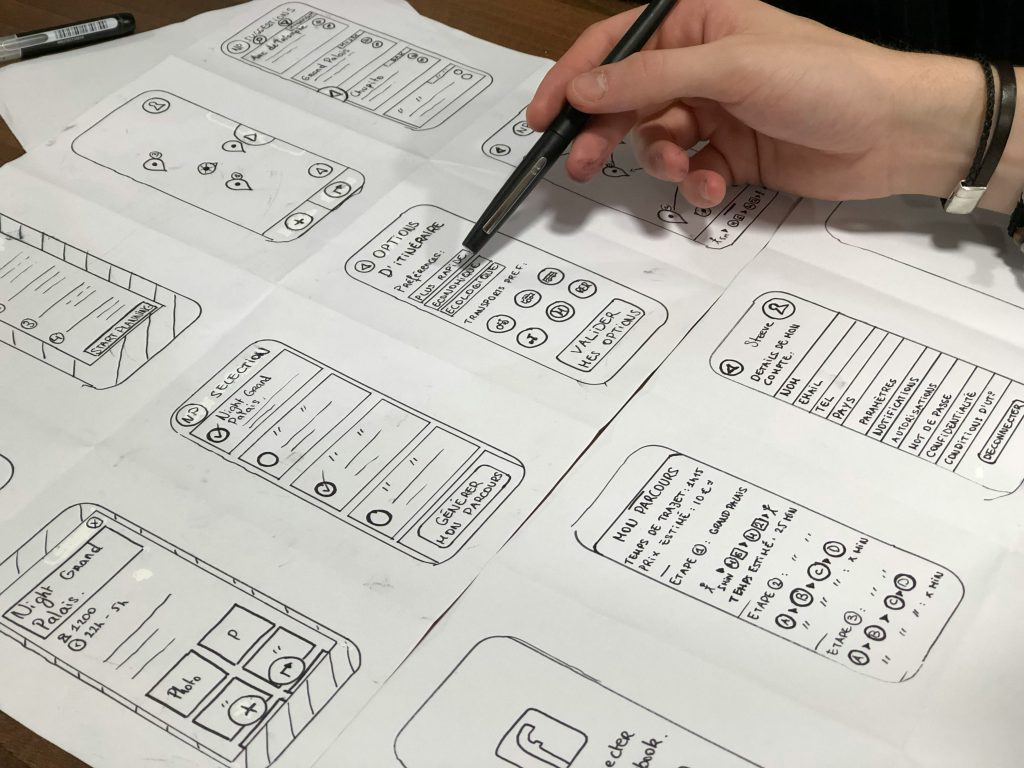
One of the most useful things about AI is how quickly it can help you explore different ideas. A designer can use AI to brainstorm homepage structures, suggest content directions, develop user-flow ideas, or explore different ways of presenting information.
This can be particularly useful at the beginning of a project. Instead of staring at a blank Figma file trying to decide where to start, AI can help generate possibilities that can then be reviewed and improved.
But there is an important difference between generating an idea and knowing whether it is a good idea.
An AI tool might suggest a layout that looks impressive but doesn’t make much sense for the audience. It might recommend sections that aren’t relevant to the business or produce a generic structure that could belong to almost any company.
That’s why AI works best as a starting point rather than the final decision-maker. The designer still needs to understand the project and decide what actually belongs on the page.
Website Development Is Becoming More Efficient
AI is also changing what happens after the design is finished.
Developers can use AI to help write and explain code, identify errors, troubleshoot problems, generate CSS, and handle repetitive development tasks. This can save a considerable amount of time, particularly when dealing with small technical issues that would otherwise require searching through documentation or forums.
For WordPress websites, for example, AI can be useful when troubleshooting a styling problem, creating a small piece of custom code, or figuring out why a particular element isn’t behaving as expected.
But faster doesn’t automatically mean better.
AI-generated code still needs to be reviewed and tested. A piece of code that technically works might still create problems with responsiveness, performance, security, accessibility, or future maintenance.
The developer’s job is therefore changing from simply writing everything manually to deciding what should be built, how it should work, and whether the result is actually reliable.
Content Is Easier to Produce, but Generic Content Is Easier to Produce Too
Website copy is another area where AI has made a noticeable difference.
A business can now generate a first draft for a homepage, service page, FAQ section, product description, or blog post in minutes. For a designer working with a client who doesn’t have their content ready, this can be extremely useful for getting a project moving.
The problem comes when the first AI-generated draft is treated as the finished copy.
Ask AI to write about almost any business and you’ll often get the same familiar phrases: “innovative solutions,” “tailored services,” “commitment to excellence,” and “helping businesses thrive.” They sound professional, but they don’t tell a potential customer much.
Good website content still needs real information behind it. What does the business actually do? Who does it serve? What problems does it solve? Why should someone choose it over another option? What questions do customers usually have?
AI can help organize and improve those ideas, but it shouldn’t replace the thinking that makes the content specific to the business.
The result should sound like the company, not like every other website on the internet.
AI Is Making Personalization More Accessible
AI can also help websites respond more intelligently to individual visitors.
For ecommerce websites, this might mean more relevant product recommendations. For larger websites, it could help visitors find information based on what they are looking for. AI-powered search and chat tools can also help users get answers without having to dig through multiple pages.
These possibilities are useful, but that doesn’t mean every website needs an AI chatbot or some complicated personalization system.
Sometimes the best solution is still a simple navigation menu and a well-written page.
The technology should serve the user’s needs. Adding AI simply because it is popular can easily make a website more complicated instead of making it better.
The Designer’s Role Is Changing
Perhaps the biggest change AI is bringing to web design isn’t that it can create things. It’s that it can take some of the repetitive work off a designer’s plate.
When AI can help with research, brainstorming, content drafts, code, image creation, or troubleshooting, designers can spend more of their time thinking about the parts of a project that require context and judgment.
What should the visitor see first? Which information actually matters? What is likely to make someone trust this business? Where should the call to action appear? Does the website make sense to someone who has never heard of the company before?
Those decisions are difficult to automate because they depend on the specific business and its audience.
A website isn’t successful simply because it was generated quickly. It is successful when the end result makes sense to the people using it.
So, Is AI Replacing Web Designers?
Not really. It is changing the way they work.
A designer who knows how to use AI effectively can explore ideas faster, automate repetitive tasks, solve technical problems more efficiently, and spend more time on the parts of a project that require actual design thinking.
But there’s a big difference between asking AI to create a website and knowing what website should actually be created.
AI can generate a layout. It doesn’t automatically know whether that layout is right for the business.
It can write copy. It doesn’t automatically know what the company’s customers actually care about.
It can generate code. It doesn’t automatically know whether the finished website is easy to use or maintain.
That human judgment still matters.
Practical Takeaway
What can we make better for the person using this website?
If AI can help you research faster, explore ideas, create a first draft, solve a technical problem, or automate repetitive work, use it. Just don’t let the tool make decisions that require an understanding of your business and your customers.
AI can make the process faster. Good design still determines where you’re going.